AI assistant for Windows and Mac
The AI that actually uses your PC.
Tell MatrixX what you need: sort files, open apps, research the web, run tasks on a schedule. It does the work, and asks before anything important.
Scanned clean by 60+ antivirus engines See the VirusTotal report →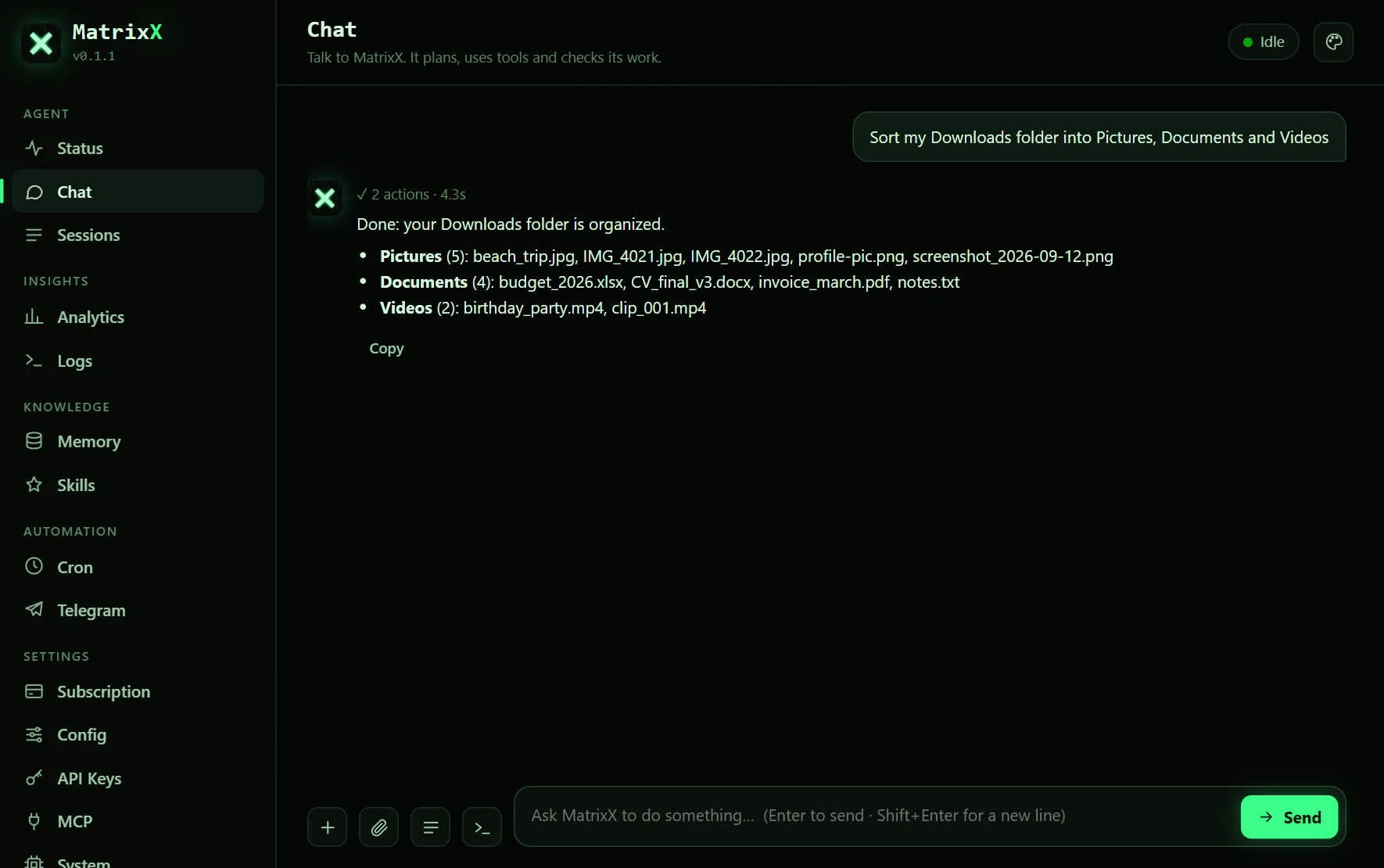
See it work
Watch it do real tasks
Screen recordings of MatrixX doing the job. The waiting is sped up.
Try it
Ask MatrixX something
Pick a task or type your own. This demo can only chat: the app does the work on your PC.
Runs on free AI models · 5 messages a day · no sign-up
What it does
Say what you need. MatrixX does the rest.
Not another chat window: an assistant that works on your computer the way you would, only faster.
Does the work
Opens apps, arranges windows, sorts and edits files, all from one sentence.
Researches for you
Searches the web, reads the pages and brings back what matters, with the links.
Understands your documents
Reads PDFs and Word files, summarizes them and writes new ones.
Works from your phone
Send a Telegram message and MatrixX gets to work on your PC while you're away.
Runs on a schedule
"Every morning at 8, send me the news." Set it once and it runs by itself.
Remembers what you like
Learns your preferences over time, so answers fit the way you work.
How it works
Up and running in a minute
- 1
Download and install
One installer for Windows 10 and 11, or your Mac (beta). No setup, no AI keys to find.
- 2
Create your free account
Right inside the app. It takes a few seconds.
- 3
Tell MatrixX what you need
In plain words. It plans, does the work and asks before anything important.
Safety & privacy
Powerful, and you stay in control
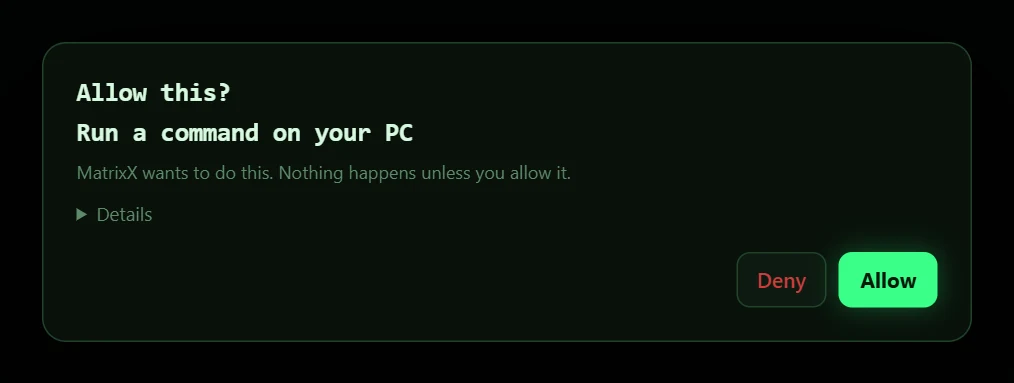
It asks before it acts
Running code, opening apps or anything that costs money needs your OK. Nothing happens until you click Allow.
Private by design
Your chats, files and memories stay on your PC.
Scanned clean
The installers are checked by more than 50 antivirus engines, and none of them flag them. See the VirusTotal report
Pricing
Start free. Upgrade when you need more.
Every plan runs the same app. Paid plans unlock stronger AI models and higher limits.
Plus
- $16 of AI credits a month
- 200+ AI models
- 40 requests per minute
- Up to 30 steps per task
- 3 helper agents
Super
- $50 of AI credits a month
- 200+ AI models
- 120 requests per minute
- Up to 60 steps per task
- 6 helper agents
- Priority when busy
Ultra
- $105 of AI credits a month
- 200+ AI models
- 300 requests per minute
- Up to 150 steps per task, 90-minute tasks
- 10 helper agents
- Top priority
Plans last 30 days and renew only when you choose: no automatic charges. Credits pay for AI usage at cost. Payments by Ziina.
Now on Mac · beta
MatrixX for Mac is here
For Macs with Apple chips (M1 or newer), macOS 11 or later.
Intel Mac? Leave your email and we'll tell you when it works on yours.
We'll only use your email to tell you about MatrixX for Mac. Privacy Policy
FAQ
Questions, answered
Is MatrixX free?
Yes. There's a free plan. Paid plans unlock more powerful AI models and higher limits.
Do I need my own AI keys?
No. Install MatrixX, create a free account in the app, and start.
Is it safe to let an AI use my PC?
MatrixX asks before running code, opening apps or anything that costs money, and nothing happens until you click Allow. The installer is scanned clean by antivirus engines (see the VirusTotal report).
Why does Windows show a warning?
New apps from independent developers aren't recognized by Windows yet. Click More info, then Run anyway.
Does it work on Mac?
Yes, in beta: on Macs with Apple chips (M1 or newer) and macOS 11 or later. Download MatrixX for Mac. Intel Macs aren't supported yet: join the waitlist.
How do I cancel?
There's nothing to cancel. A plan lasts 30 days and only continues if you renew it.